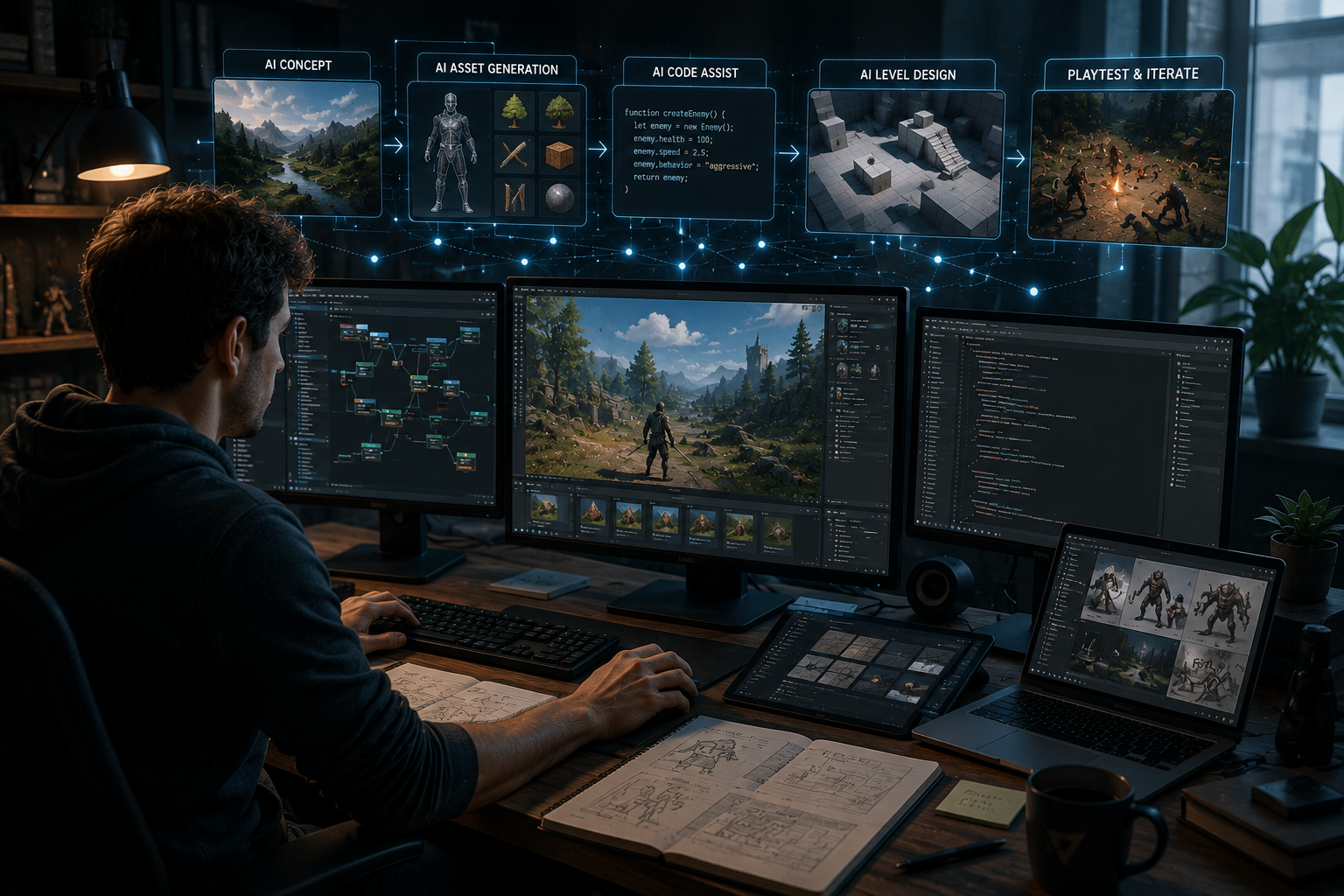
Every game developer has felt it: the gap between having a clear idea and actually seeing it work. That gap used to be filled entirely with manual, technical labor, writing code, building assets by hand, testing one small change at a time. AI hasn’t erased that gap, but it has compressed it dramatically, and the practical effect on a real development workflow is bigger than most people expect until they’ve tried it.
Here’s where AI actually speeds things up, and where it doesn’t, so you can use it where it counts instead of assuming it fixes everything.
Where Workflow Time Actually Goes
Before looking at what AI changes, it helps to understand where time typically disappears in a normal development cycle. A rough breakdown usually looks like this: a small amount of time on the actual creative decisions, and a disproportionately large amount on implementation, testing, and repetitive production work required to make those decisions real.
AI’s biggest impact isn’t on the creative decision-making itself. It’s on shrinking that second, much larger chunk of time, which indirectly gives creative work more room to happen.
Prototyping: From Weeks to Hours
Skipping the Blank Editor Problem
Starting a new project from a completely empty code editor or engine is one of the biggest psychological and practical barriers in development.Make your own game platforms remove that barrier by letting a plain-language description become a working starting point almost immediately, which changes the first day of a project from setup and scaffolding into something you can actually play and react to.
Testing Multiple Directions Quickly
When prototyping used to take a week per concept, most developers only tested one or two directions before committing. When a rough prototype takes hours instead, testing four or five variations before choosing a direction becomes realistic. That difference alone tends to produce noticeably better final decisions, since more options get genuinely compared instead of settled on by default.
Asset Generation Without the Bottleneck
Placeholder Content That Doesn’t Slow You Down
Waiting on final art before a level can even be tested creates a bottleneck that has nothing to do with whether the level design itself is any good. AI-generated placeholder assets let you test layout, pacing, and feel immediately, with final art layered in once the underlying design is already working.
Reducing Solo and Small-Team Overload
A solo developer or small team covering art, sound, and design simultaneously benefits disproportionately from AI-assisted asset work, since it removes one of the most time-consuming roles without requiring a dedicated hire to fill it.
Iteration Speed Changes Everything Downstream
Faster Feedback Loops
The value of AI in a workflow isn’t really about any single task getting faster. It’s about how much faster the loop of “try something, see if it works, adjust” becomes. Games like Astro Spideeey reflect what that kind of tight iteration process can produce, a mechanic that feels tuned through repeated small adjustments rather than a single long build cycle guessed at up front.
More Playtesting, Earlier
Because rough versions come together faster, real playtesting can start much earlier in a project. Catching a pacing or difficulty problem in the first week is dramatically cheaper than catching it after months of content has already been built around a flawed core loop.
Where AI Doesn’t Speed Things Up
Creative Direction Still Takes the Same Amount of Thought
Deciding what the game should actually be, its tone, its identity, what makes it distinct, isn’t a task AI accelerates. That decision-making happens at the same pace it always has, because it depends on human taste and judgment, not implementation speed.
Balancing and Tuning Still Requires Real Playtesting
AI can help implement a change quickly, but it can’t tell you whether that change actually feels right. Balancing difficulty, pacing, and reward timing still requires watching real players and making judgment calls based on what you observe.
Fixing Fundamentally Broken Ideas Takes the Same Effort
If a core concept isn’t fun, no amount of implementation speed fixes that. AI shortens the time it takes to discover a bad idea isn’t working, which is valuable, but it doesn’t make a weak concept stronger.
Building an AI-Assisted Workflow That Actually Works
1. Front-Load Prototyping
Use AI-assisted tools to get a rough, playable version of every idea worth considering before committing to one. The lower cost of testing means there’s little reason to skip this step anymore.
2. Playtest Immediately, Not After Polish
Get a rough prototype in front of real players as early as possible. Waiting until something looks finished to start testing wastes the speed advantage AI just gave you.
3. Use Saved Time for Deliberate Iteration
Don’t treat time saved on implementation as time to move faster through the whole project. Reinvest it into more rounds of testing and refinement on the parts that actually determine whether the game is good.
4. Keep Final Creative Judgment With a Person
Let AI handle execution speed. Keep the decisions about what feels right, what’s fun, and what the game’s identity should be firmly in human hands, since that’s where the actual value of the final product comes from.
5. Don’t Skip Manual Refinement Where It Matters
Some details still benefit from hands-on adjustment, exact timing, specific feel, particular visual choices. Use AI to get to a strong starting point quickly, then spend deliberate time refining the details that make the biggest difference to how the game actually feels.
Final Thoughts
AI speeds up game development by shrinking the time between an idea and a version of it you can actually play, not by replacing the judgment that makes a game good in the first place. The developers getting the most out of these tools aren’t using them to skip creative work. They’re using the time saved on implementation to iterate more, playtest earlier, and spend more deliberate attention on the decisions that were always the real bottleneck to begin with.
The workflow hasn’t fundamentally changed. It’s just gotten faster at the parts that were never where the actual creativity happened, which leaves more room for the parts that were.